SBNS 100 exhibition
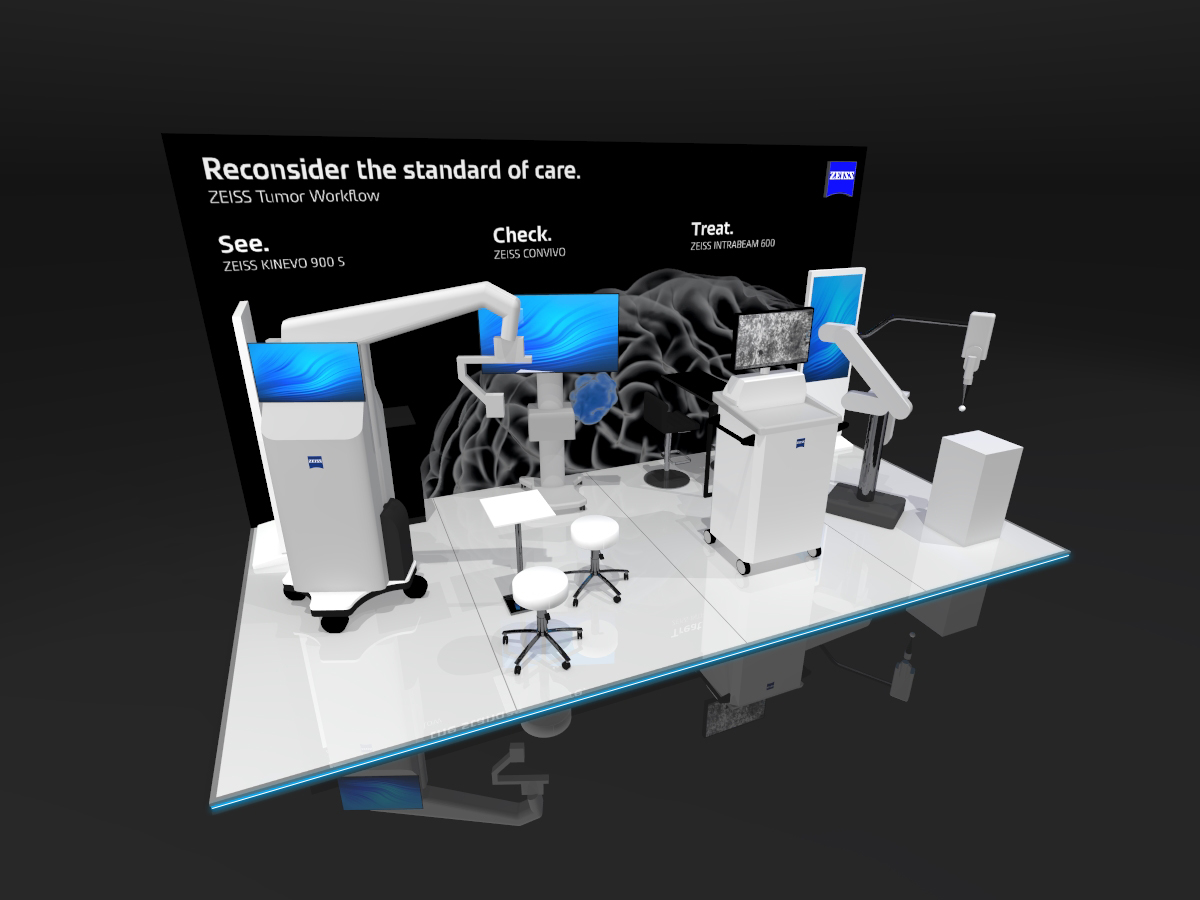
The first UK ZEISS stand since the rebrand needed a darker look, a reworked neurosurgery visual and interactive demos that run without marketing on hand. Here is how I approached each.
The need
The SBNS marked its 100th anniversary with a meeting at the QEII Centre in London from 12 to 16 October 2026. For ZEISS, it was also the first UK stand we had built since the rebrand in June.
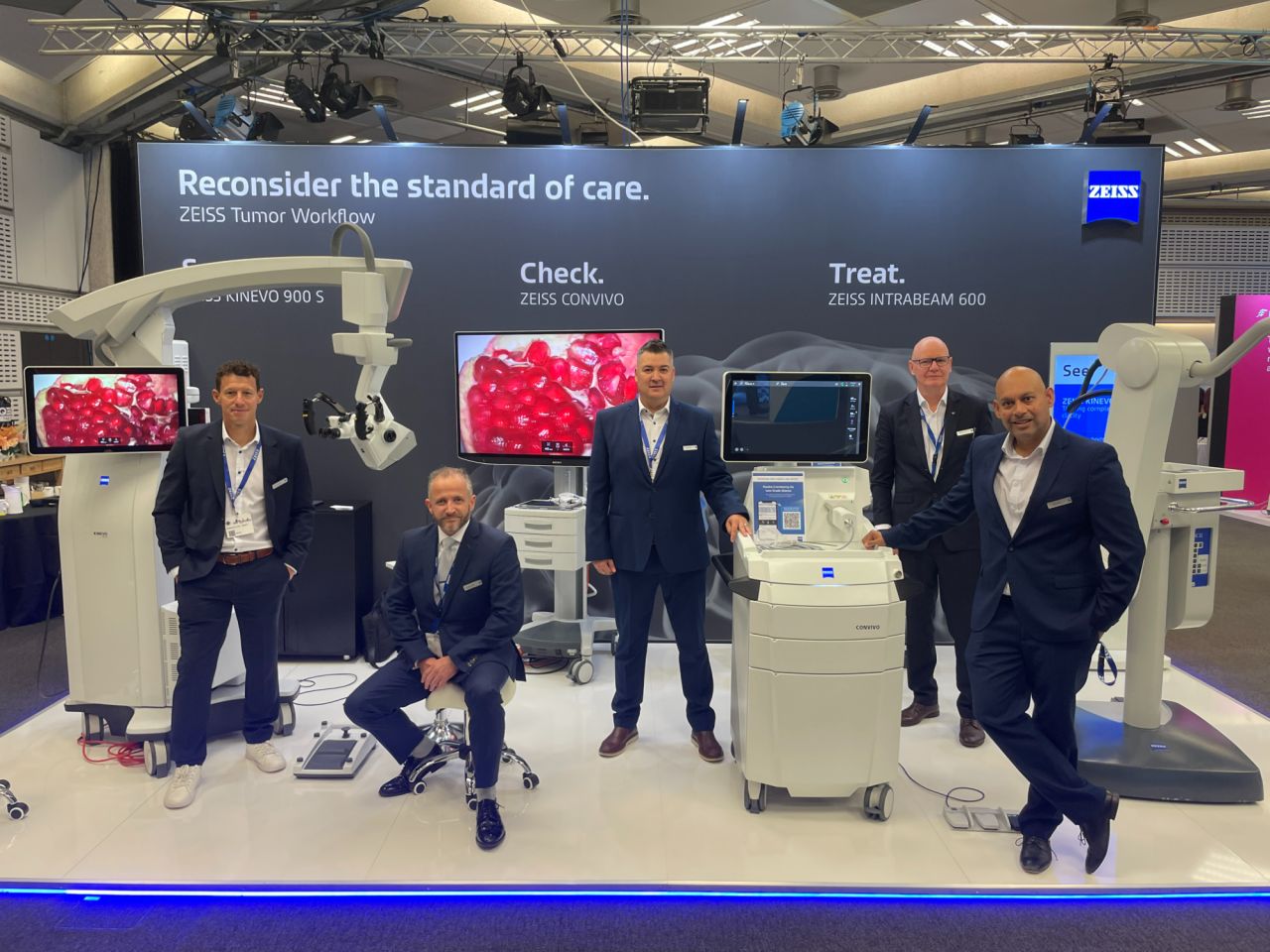
The new brand allows a black stand background. We chose it so the white equipment on the stand would stand out rather than blend into the walls. That created a problem. The key visual for our neurosurgery business unit was designed for white backgrounds and had no transparency, so it could not simply be dropped onto black.
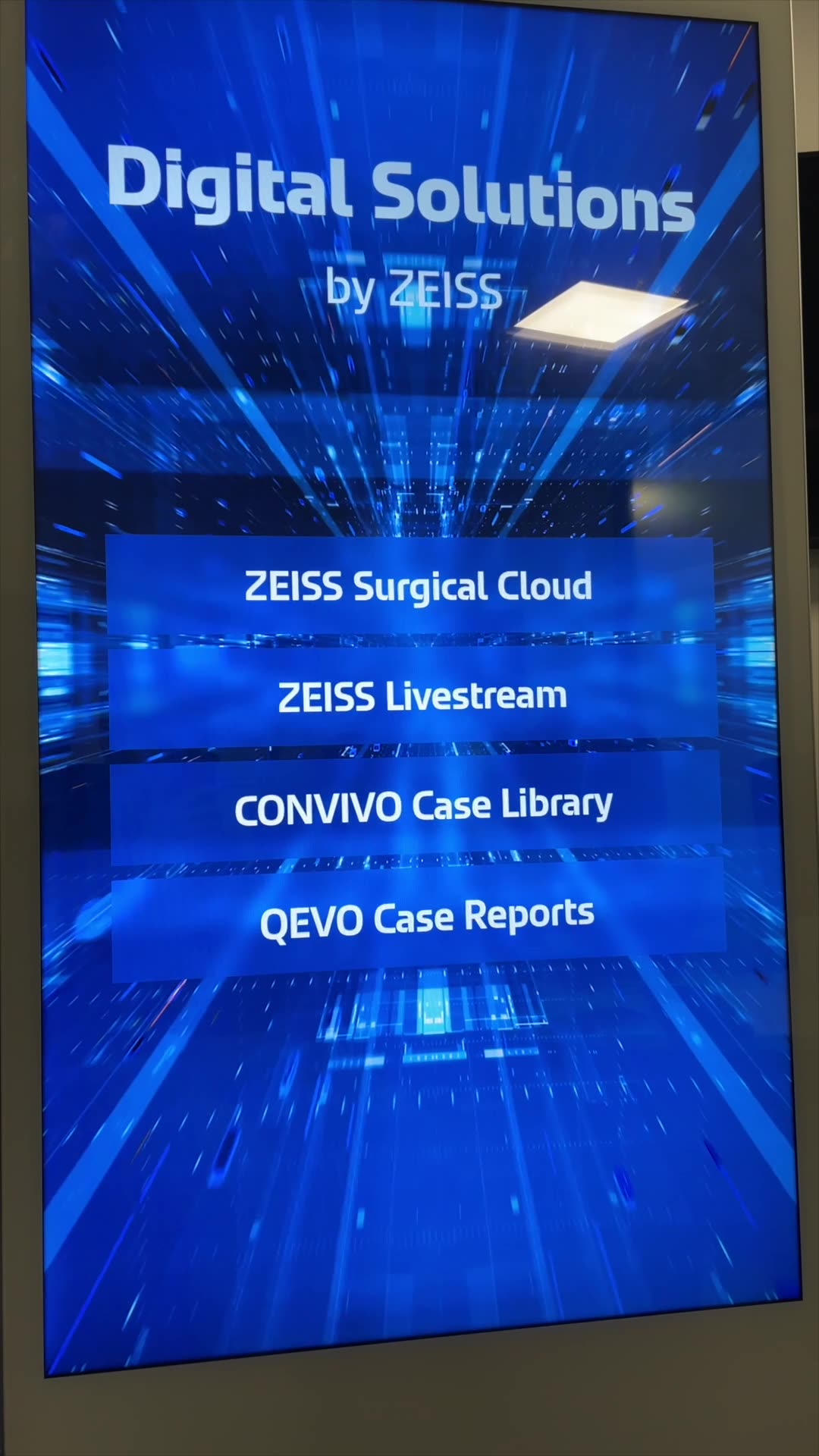
There was a second challenge. HQ already had interactive demos, and we already owned digital signage screens. The aim was to get the two working together, in a way that did not depend on someone from marketing standing next to the screens all week.
My role
The stand layout was designed by our Events Manager together with the Strategy and Marketing Manager for Microsurgery. My responsibilities sat on top of that: the stand graphics, and getting HQ’s interactive demos running on our existing signage screens. I reworked the key visual myself in Photoshop, worked with HQ on the demo software and produced the setup and pack-down guidance.
Key decisions
Rework the visual to enable us to take advantage of the new black backdrop
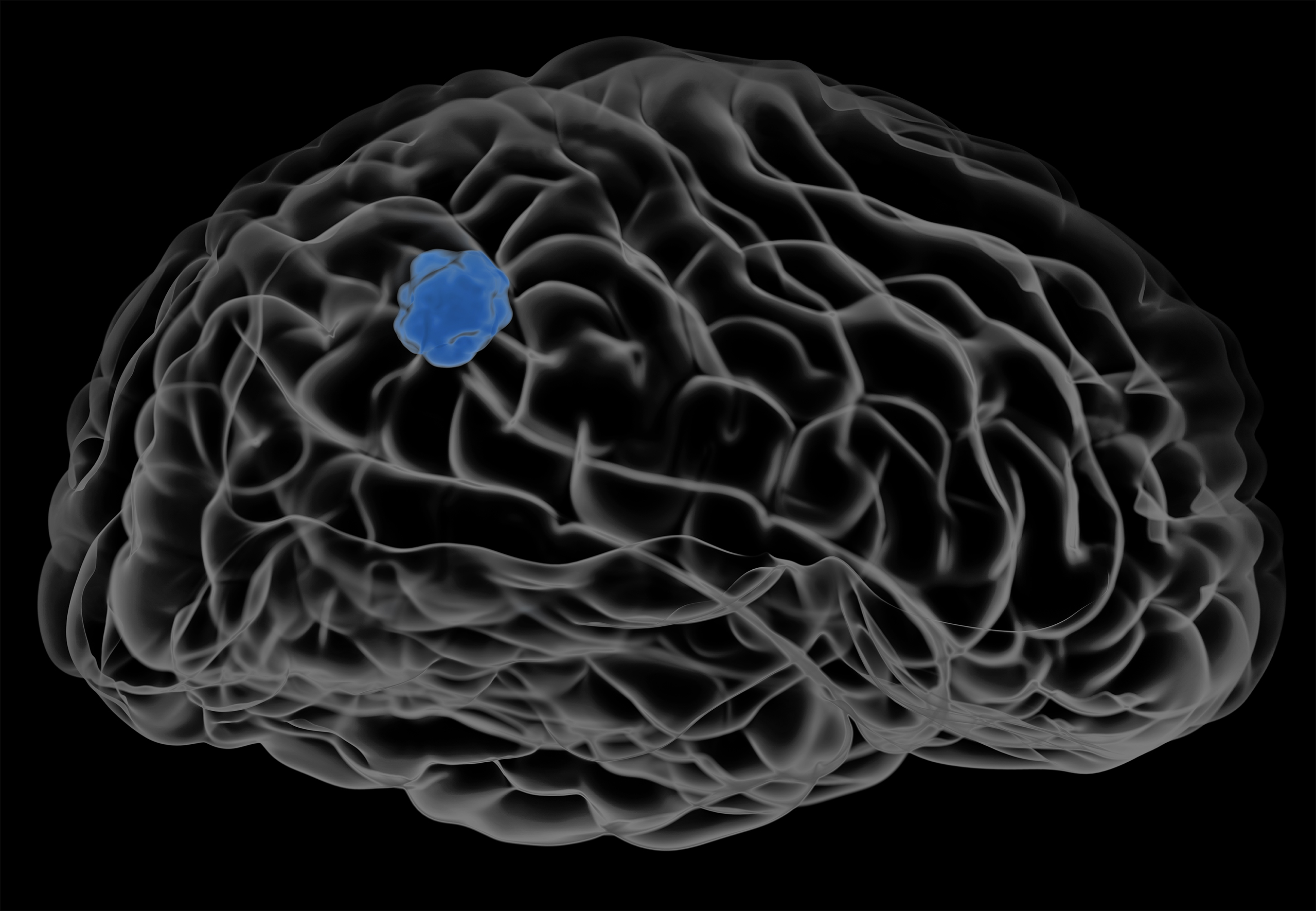
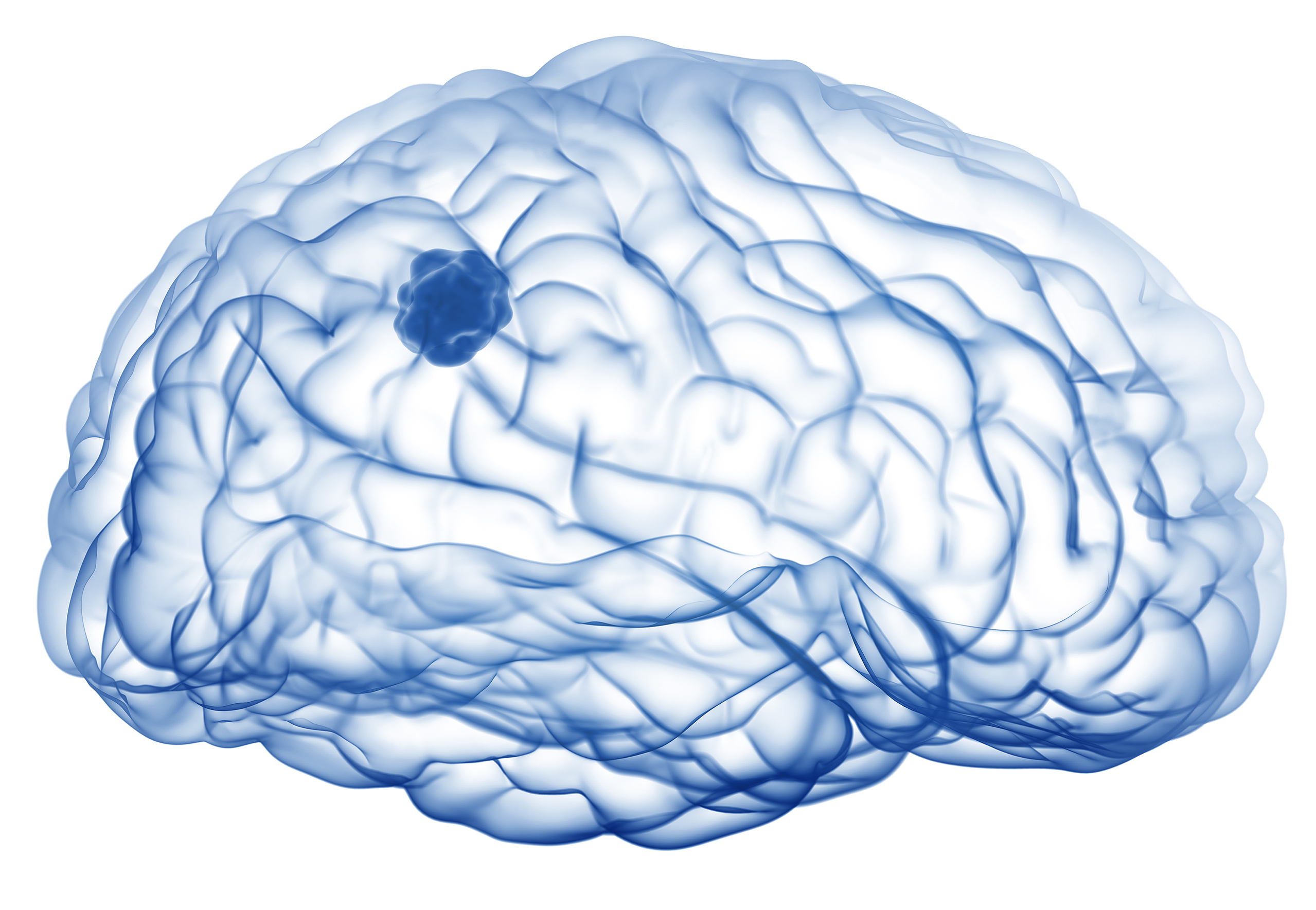
The quick fix would have been to deviate back to the old design and go for a white stand background which we have for years and years. It would have worked, but it wouldn’t have been as impactful with the products.
Instead, I rebuilt it for a dark background in Photoshop. I adjusted the blend options so the image sat properly on black. I then isolated the tumour on its own and gave it the blue colour, which raised the contrast and made it the clear focal point of the graphic.
Design the demo setup for people who are not digital specialists
HQ’s demos could run on our screens, but I could set that up easily. That was not the test. The test was whether someone without a strong digital background could set it up and run it, with minimal support and no marketing person present.
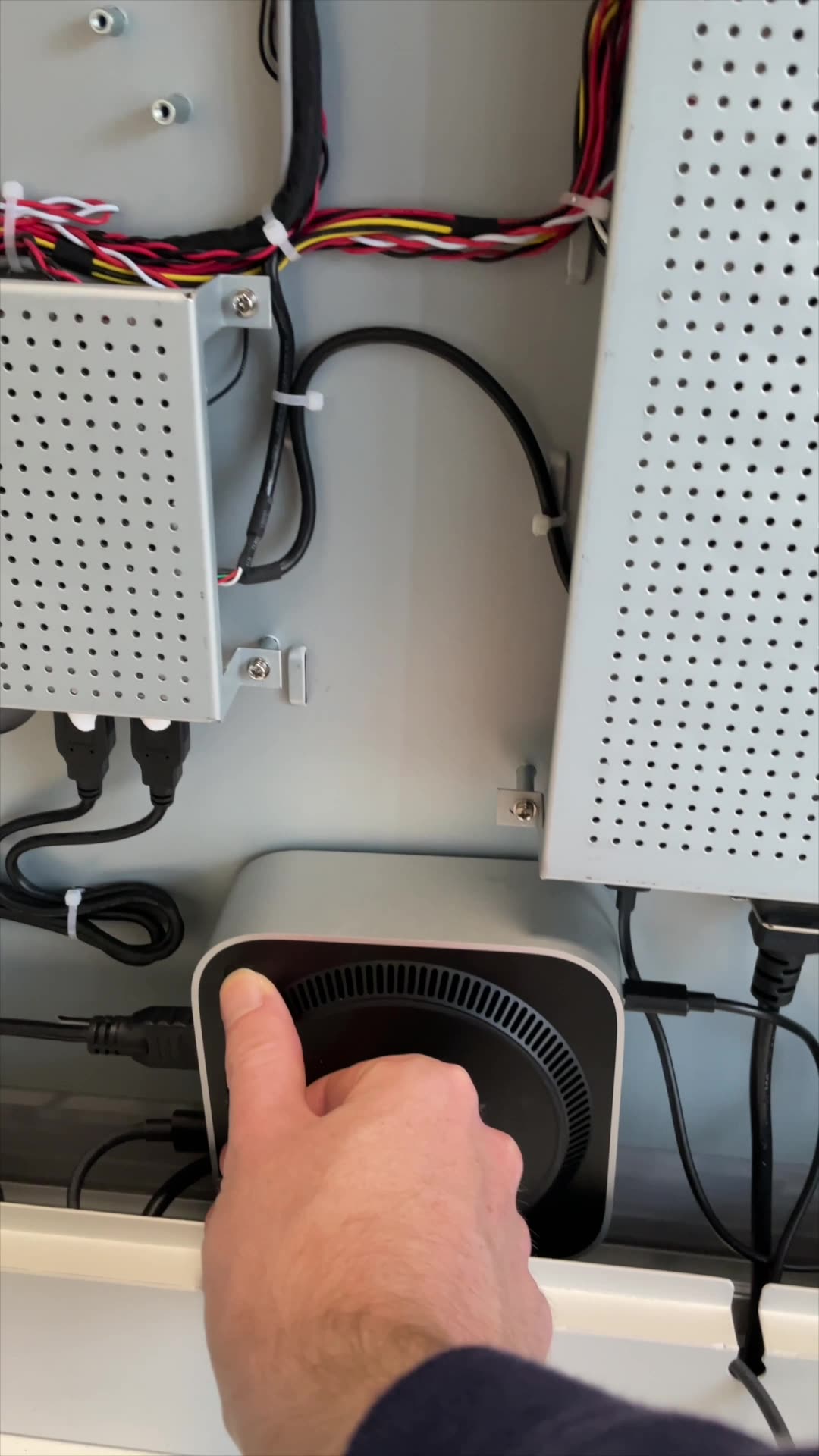
So I treated the setup as a product in its own right. I cut it down to as few steps as I could and looked for each point where something could go wrong. I then recorded short demo videos for the setup and for the pack down, so anyone on the stand could follow along.
Plan around the internet connection
The demo software needs an internet connection to load its content, and without one certain elements will not work. I could not remove that dependency for this event, so I reduced the risk instead. The event messaging was preloaded onto the device, so the stand would still look right if the connection dropped. We also chose a Wi-Fi package at the venue with bandwidth comfortably above the minimum the application needs, so it would run smoothly.
The output
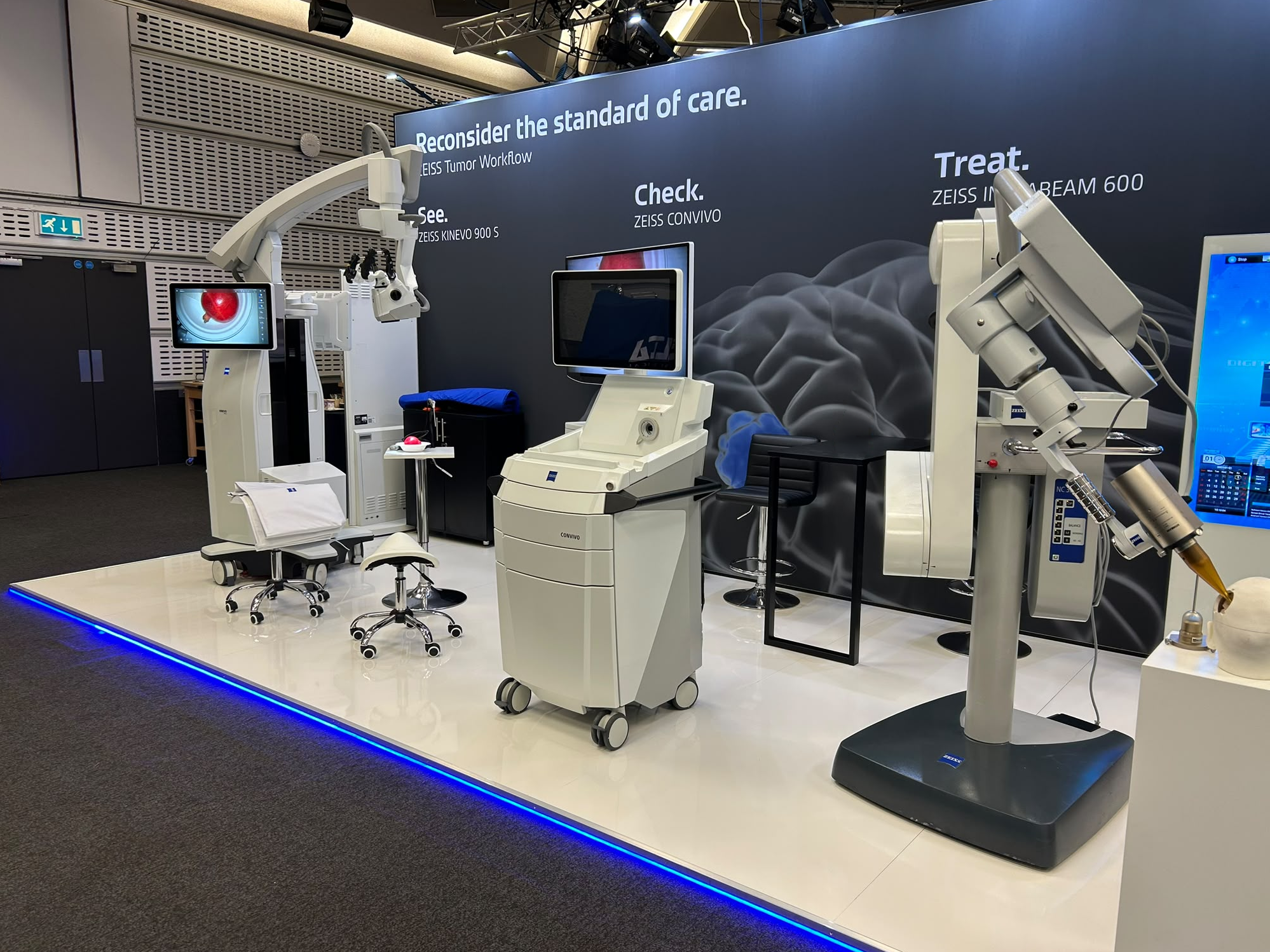
The stand uses a black background with the reworked neurosurgery visual. The interactive software runs on our existing signage screens from a Mac Mini, and it lets the sales team on the stand give demos with demo data. These show how our digital tools work and support their sales pitch. The two setup and pack-down videos back up the team on the stand.
What I learned
- Rebrands change old assets. A visual that worked for years can suddenly not work with your new design, so it is worth checking key assets as soon as new branding arrives to look for obvious issues and gaps.
- Setup is part of the design. A demo only works if the people running it can get it going without you. Fewer steps, and videos for the steps that remain, did more for reliability than any clever feature.
- Know what your solution depends on. The internet requirement was the biggest risk, and the answer was to plan for it early: preload what matters and pay for the right connection.
What comes next
The next step is removing that internet dependency. I’m working on a completely offline version loaded onto the device itself, and on keeping a cellular router on standby in case a venue’s Wi-Fi is not good enough.
Now that this Mac Mini setup has been through a real event, I also plan to use the CMS installed on it to build our own digital demos and interactive tools. The aim is to engage customers across all our events, not just this one.